Strawberry Matcha
An AI assistant for people preparing a marriage-based green card application without a lawyer.
- Role
- AI Product Designer + Builder
- Tools
- Cursor, Claude API, Supabase, Figma
- Status
- Shipped · Private access
Results at a glance
- Users who identified their next filing step
- 83%
- Test cases with correct requests for missing information
- 90%
Problem
Filing alone leads to mistakes, and general AI makes it worse.
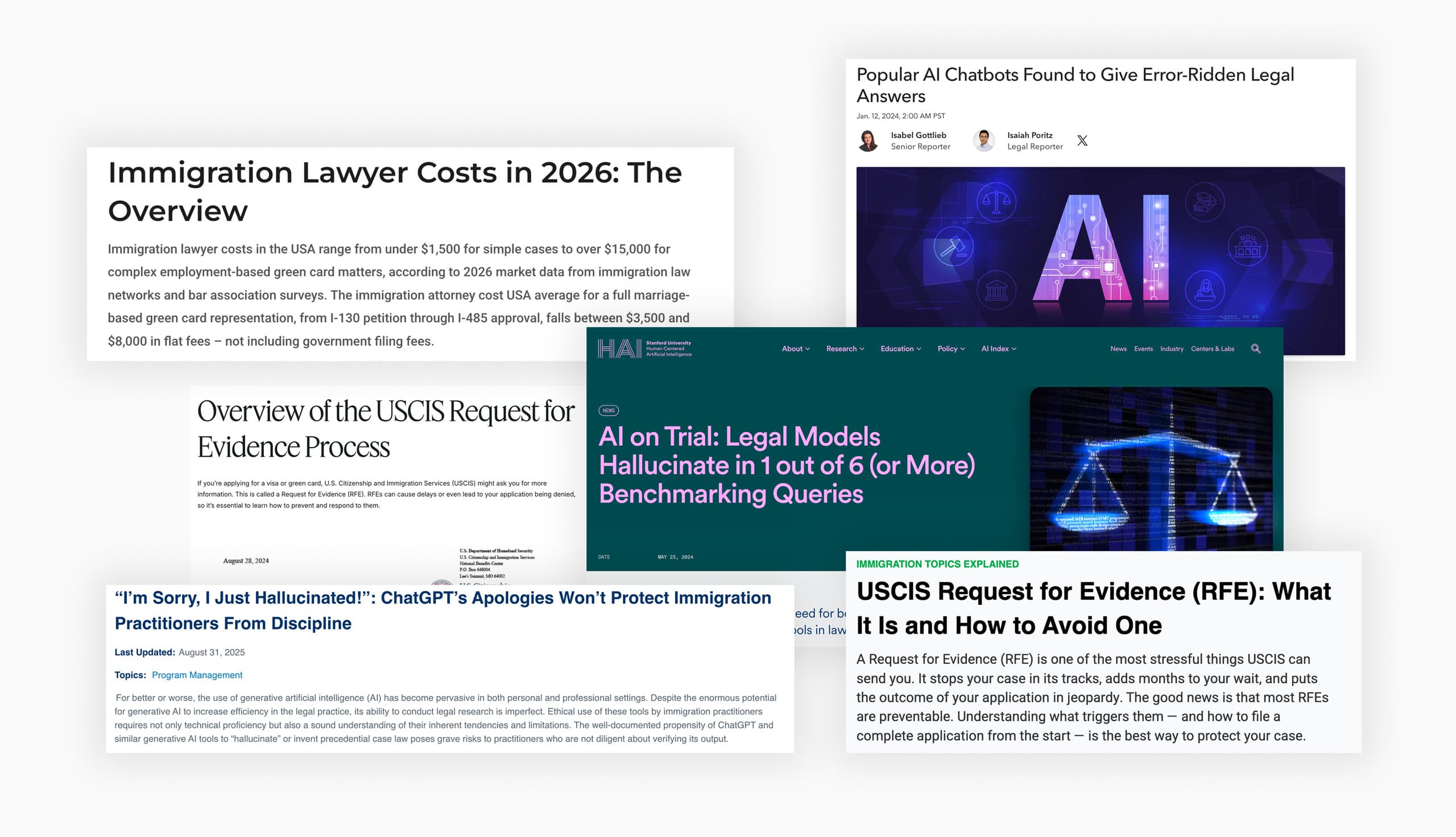
Many couples applying for a marriage-based green card file without a lawyer. Legal fees run thousands of dollars, and the process looks doable, so they handle it themselves. Then the details catch up. One in four applicants gets a Request for Evidence because of avoidable errors, and each one adds three to five months. General AI doesn't fill the gap. It hallucinates legal details and answers for a generic case that isn't theirs.
Solutions
Get answers for your case
The conversation uses the applicant’s case details and preparation progress. As new information comes up, the case record updates with it.
Prepare form entries
Upload a USCIS form to get suggested entries based on your case data, including help formatting details such as a Korean address.
A closer look: formatting a Korean address
User input
Free-form Korean address as the applicant naturally writes it.
USCIS form output
- ProvinceSeoul
- City or TownGangnam-gu
- Street NameTeheran-ro
- Street Number123
- Apt / UnitDong 101, Ho 202
Parsed and reformatted into the exact fields each USCIS form expects.
Understand your next step
Each milestone shows the applicant’s current stage, what it means, and what usually comes next. Applicants can ask questions about a specific step.
How I Built It
From concept to product in five steps
- 01Domain research
Define the concept and research the domain
Mapped how immigration lawyers actually walk a couple through CR1 / F2A. I used that to write prompts and build the AI's knowledge base.
- 02Cursor plan mode
Design the system architecture
Used Cursor's plan mode to map out the full system as a diagram, so I could see how every piece fit before writing code.
- 03Cursor prototype
Fast validation
Used Cursor to spin up a working prototype quickly, so I could test the idea with real applicants before investing more.
- 04Real applicants
Iterations
Reworked chat structure and onboarding based on where trust was breaking.
- 05Figma polish
Craft refinement
Polished the UI in Figma, tightening tone, pacing, and visual hierarchy across the whole product.
- 01
Domain research
Define the concept and research the domain
Mapped how immigration lawyers actually walk a couple through CR1 / F2A. I used that to write prompts and build the AI's knowledge base.
- 02
Cursor plan mode
Design the system architecture
Used Cursor's plan mode to map out the full system as a diagram, so I could see how every piece fit before writing code.
- 03
Cursor prototype
Fast validation
Used Cursor to spin up a working prototype quickly, so I could test the idea with real applicants before investing more.
- 04
Real applicants
Iterations
Reworked chat structure and onboarding based on where trust was breaking.
- 05
Figma polish
Craft refinement
Polished the UI in Figma, tightening tone, pacing, and visual hierarchy across the whole product.
Iterations
Restructuring answers around a next step
What testing revealed
In testing, users skimmed long answers, asked me to repeat information already on screen, and abandoned tasks.
Why I changed the format
I explored three response formats. I chose a format with four parts: an acknowledgment, structured information, a focused question about the case, and suggested questions to ask next. It keeps the exchange conversational and gives users a clearer way to continue.
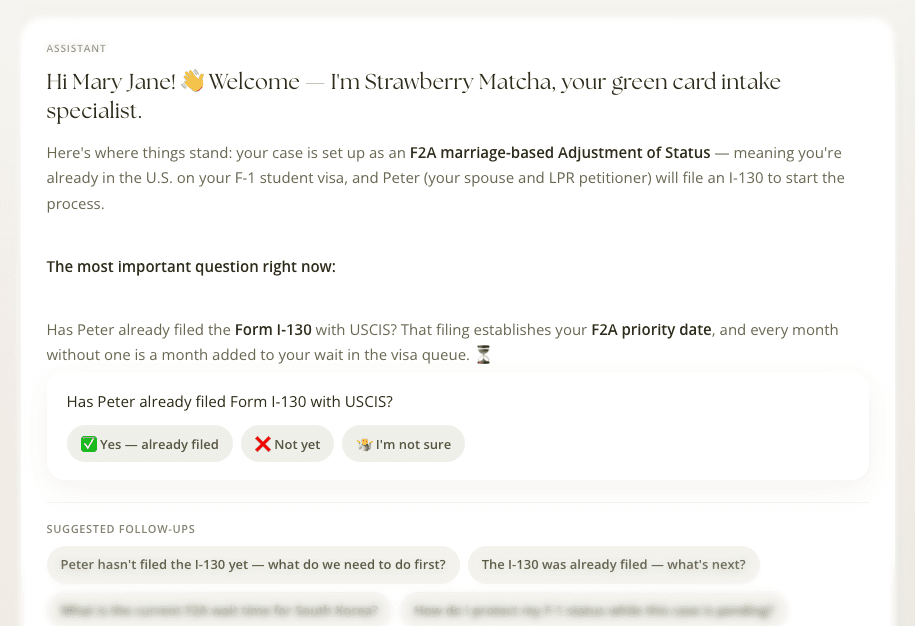
Three design explorations. Version 3 was selected for the prototype.
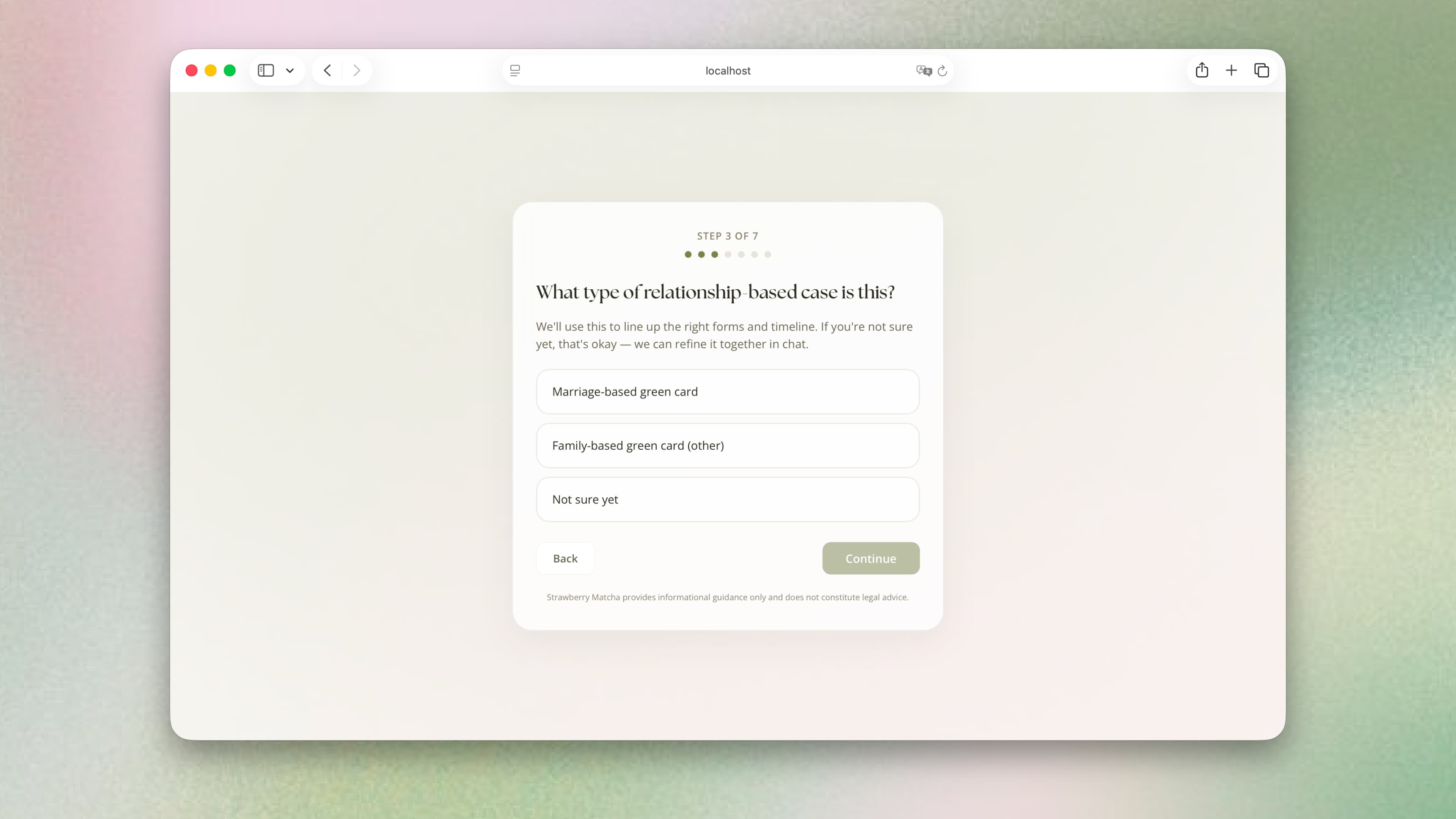
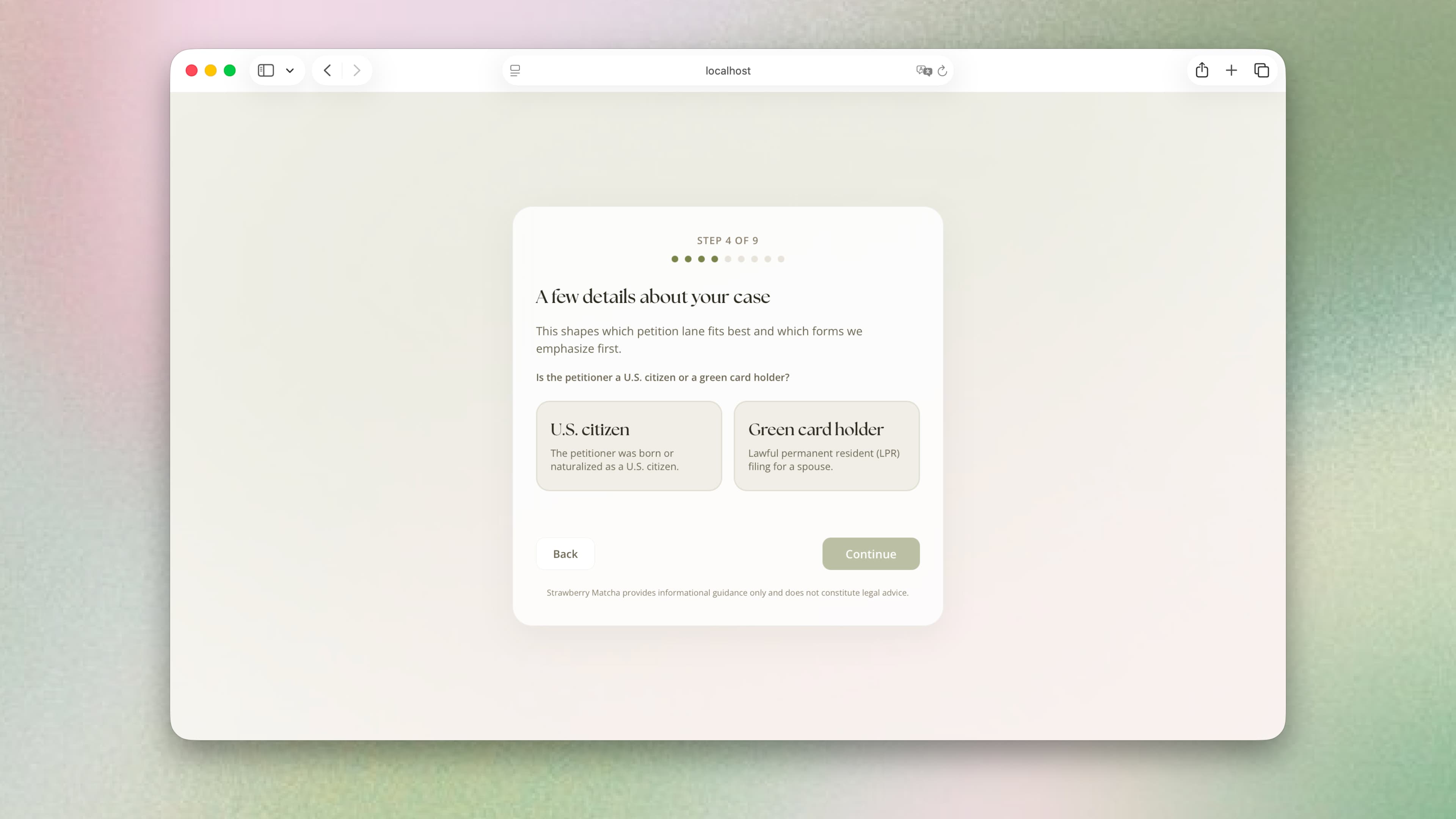
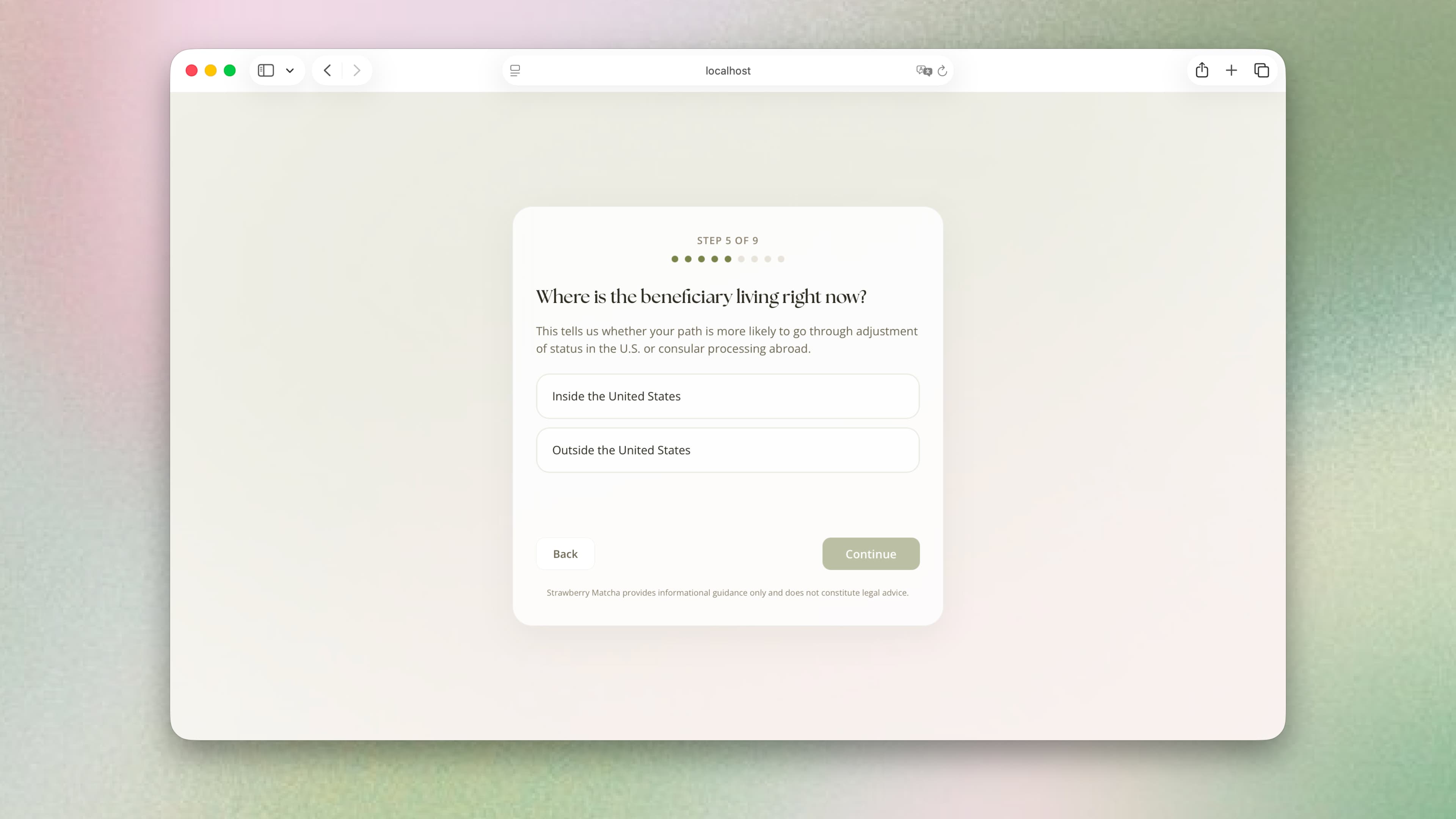
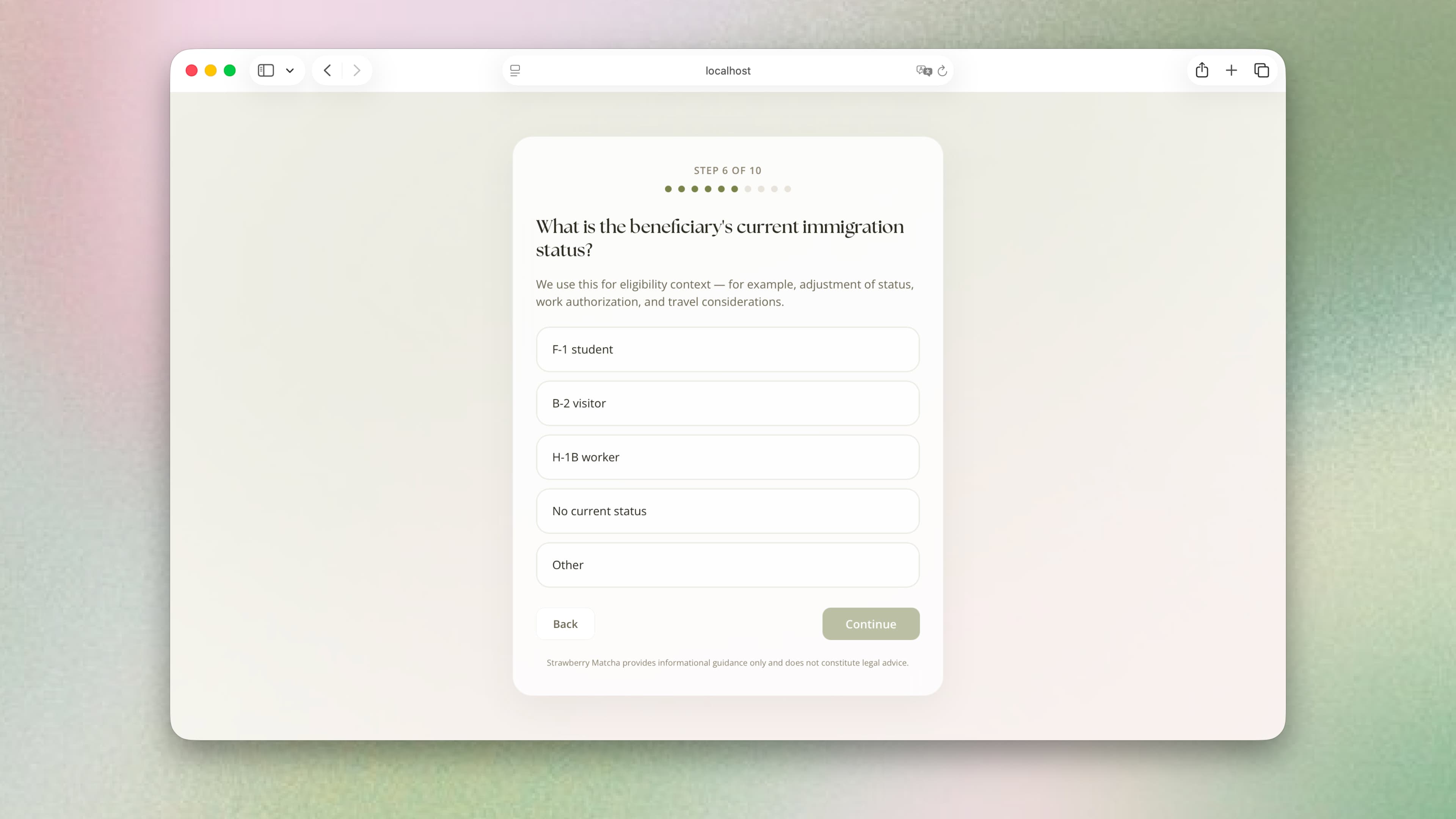
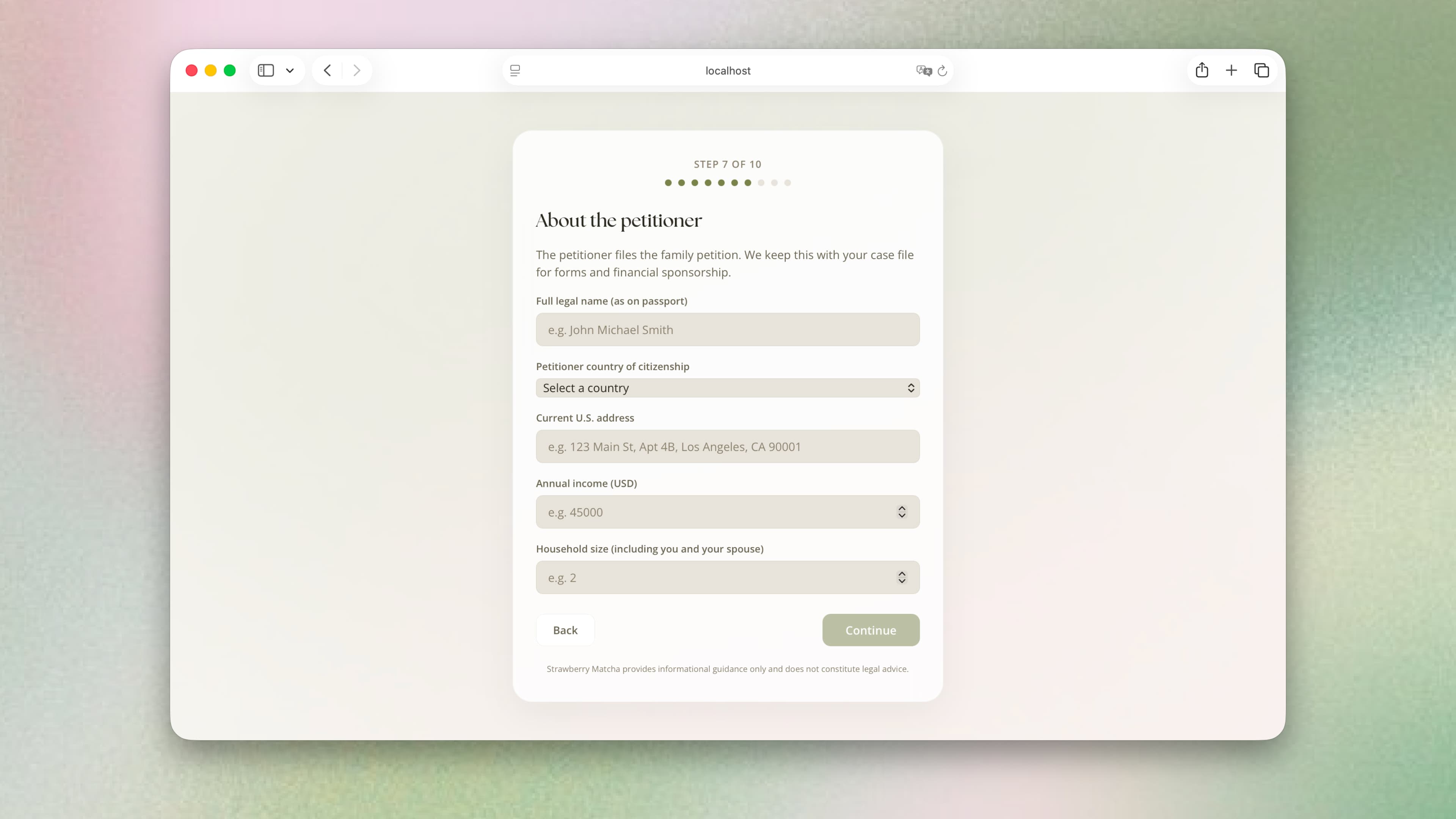
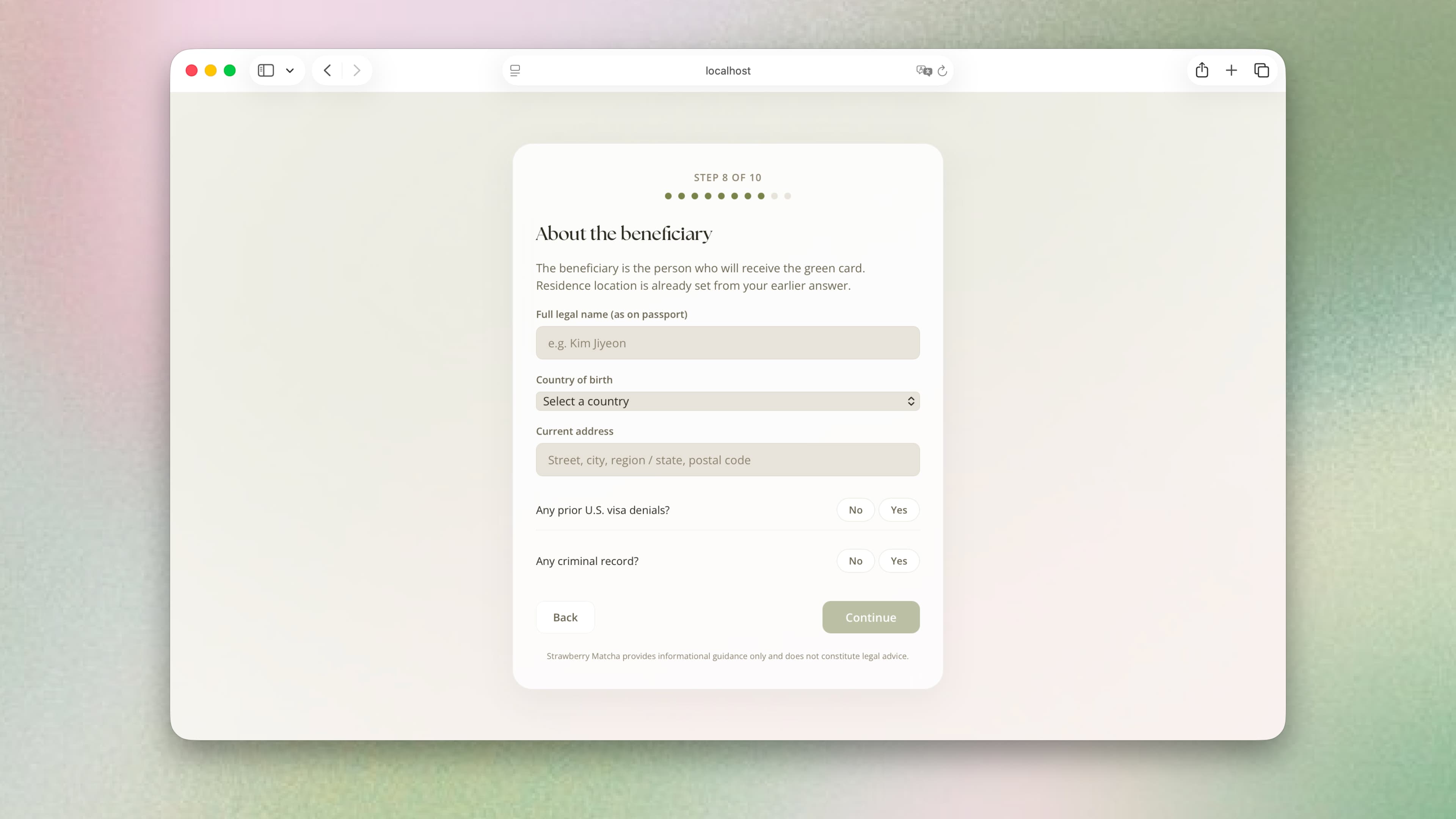
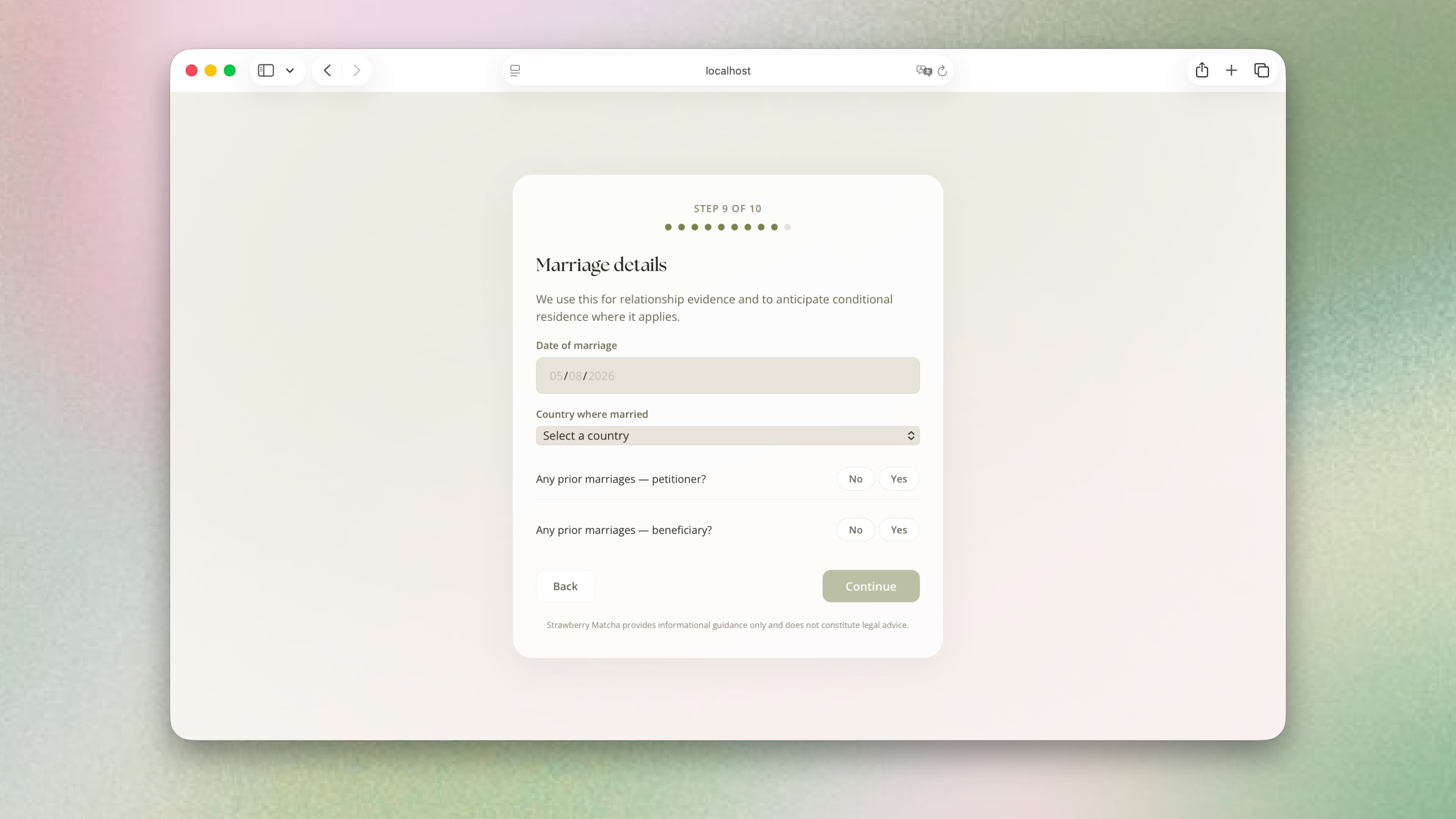
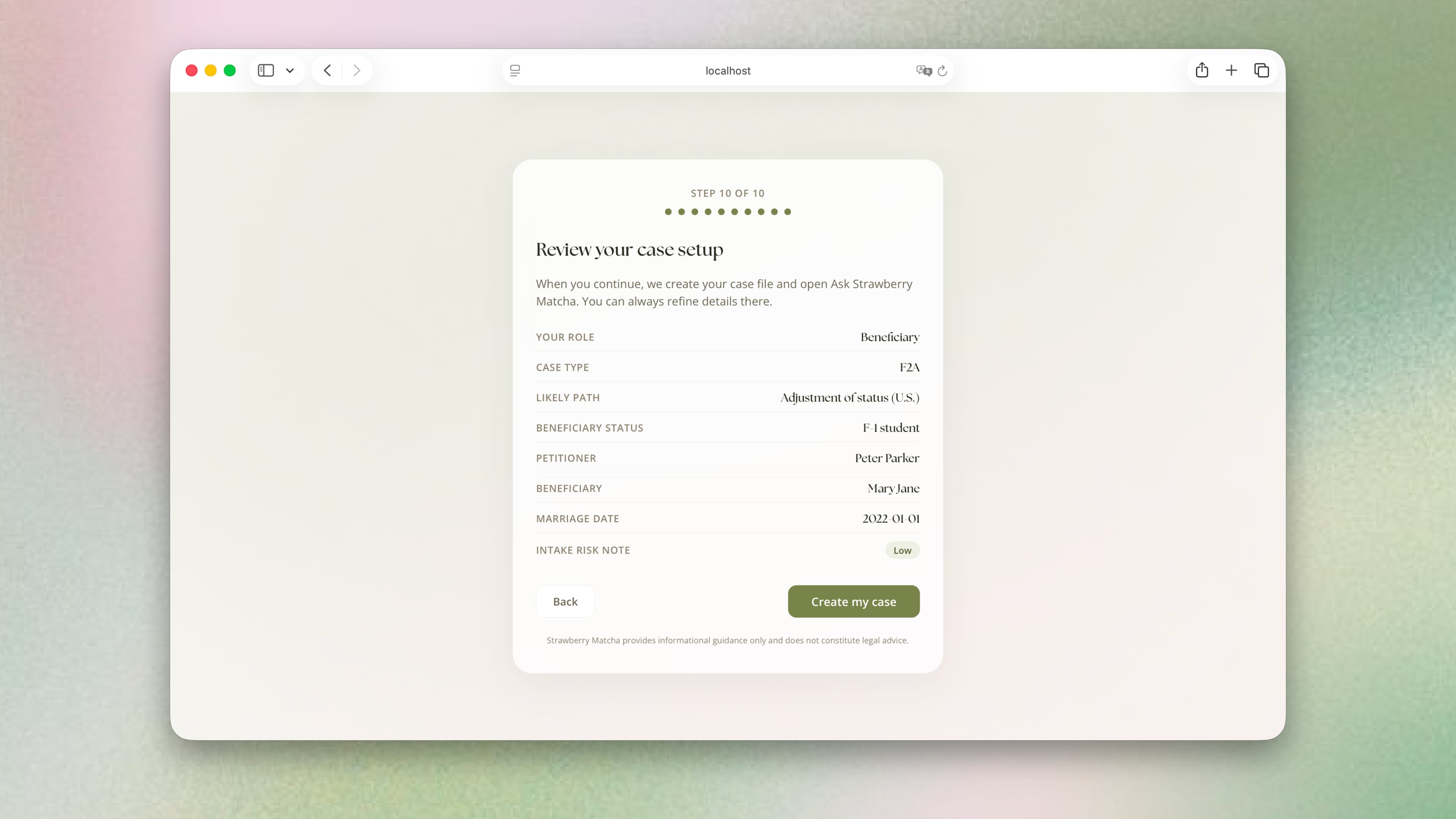
Collecting case context before the first conversation
What I learned
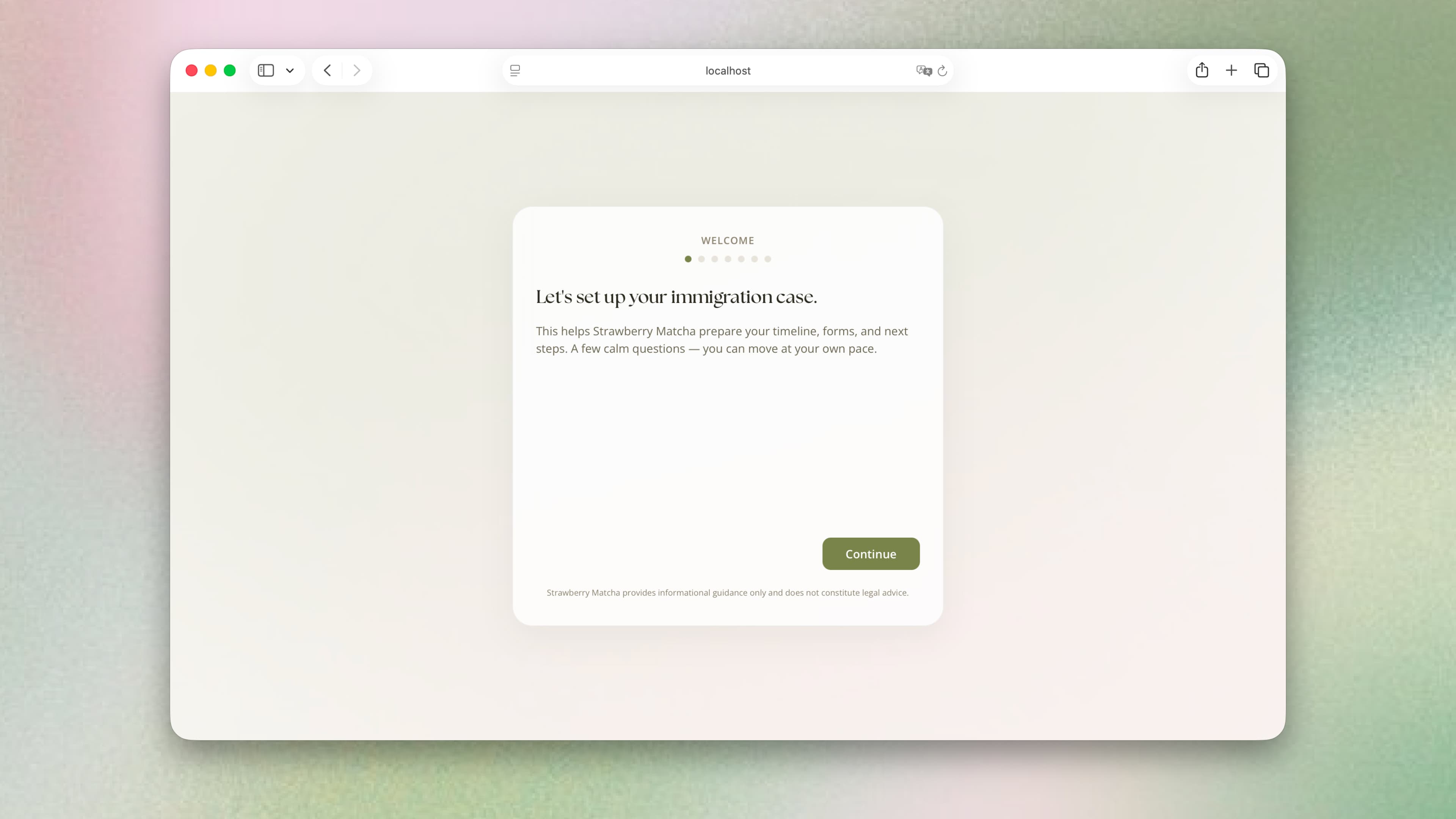
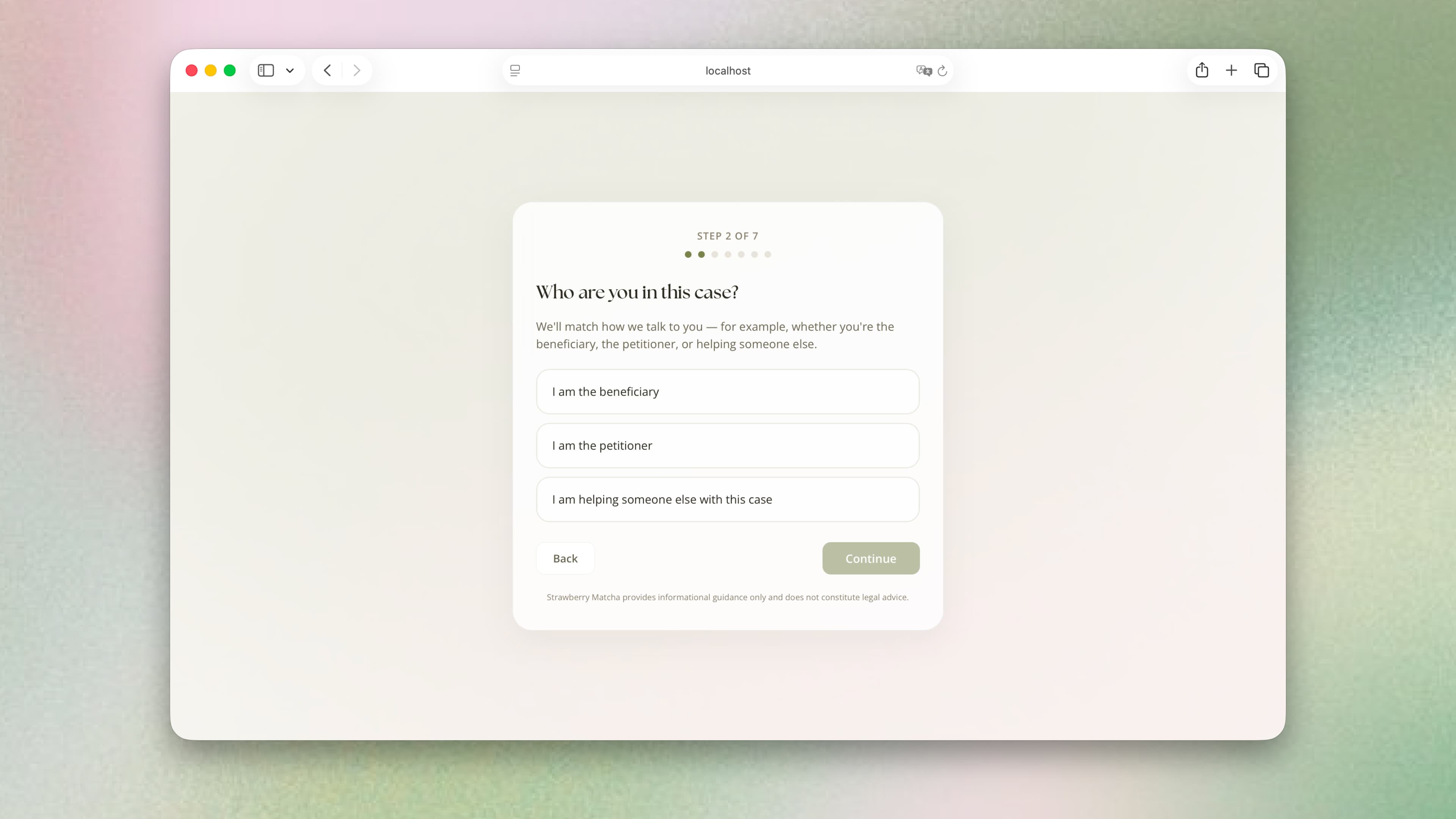
The original onboarding left gaps in the applicant’s case information, and the AI filled them with assumptions. I studied how immigration lawyers handle client intake and rebuilt onboarding around the questions they ask.
What I changed
The revised flow collects case details upfront and ends with a summary users can review. I made this change to reduce assumptions at the start of the conversation.
Outcome
Designed, built, and shipped
I took Strawberry Matcha from research and product design through development and deployment.
What testing showed
- Users who identified their next filing step
- 83%
- Test cases with correct requests for missing information
- 90%
Reflection
This project changed how I think about what makes a good product
I saw an opportunity to build a service people would use and pay for because it takes on work they find difficult and time-consuming to do on their own. I explored that idea through Strawberry Matcha, a service I built, tested, and shipped to help applicants prepare their immigration applications.
YC: How to Pick a Startup Idea